Getting started
Six steps, about ten minutes
This assumes you are using the Claude desktop app. It has Claude Code built in, which is what ekadant plugs into.
You need two things
- A Claude subscription. Ekadant runs on your own plan; we never bill you for usage.
- Node.js 20 or newer. Claude does not include it.
Get it from nodejs.org
if
node --versionsays anything under v20.
Get the Claude desktop app
Download it from claude.com, sign in, and open the Code tab. Already using it? Skip to step 2.
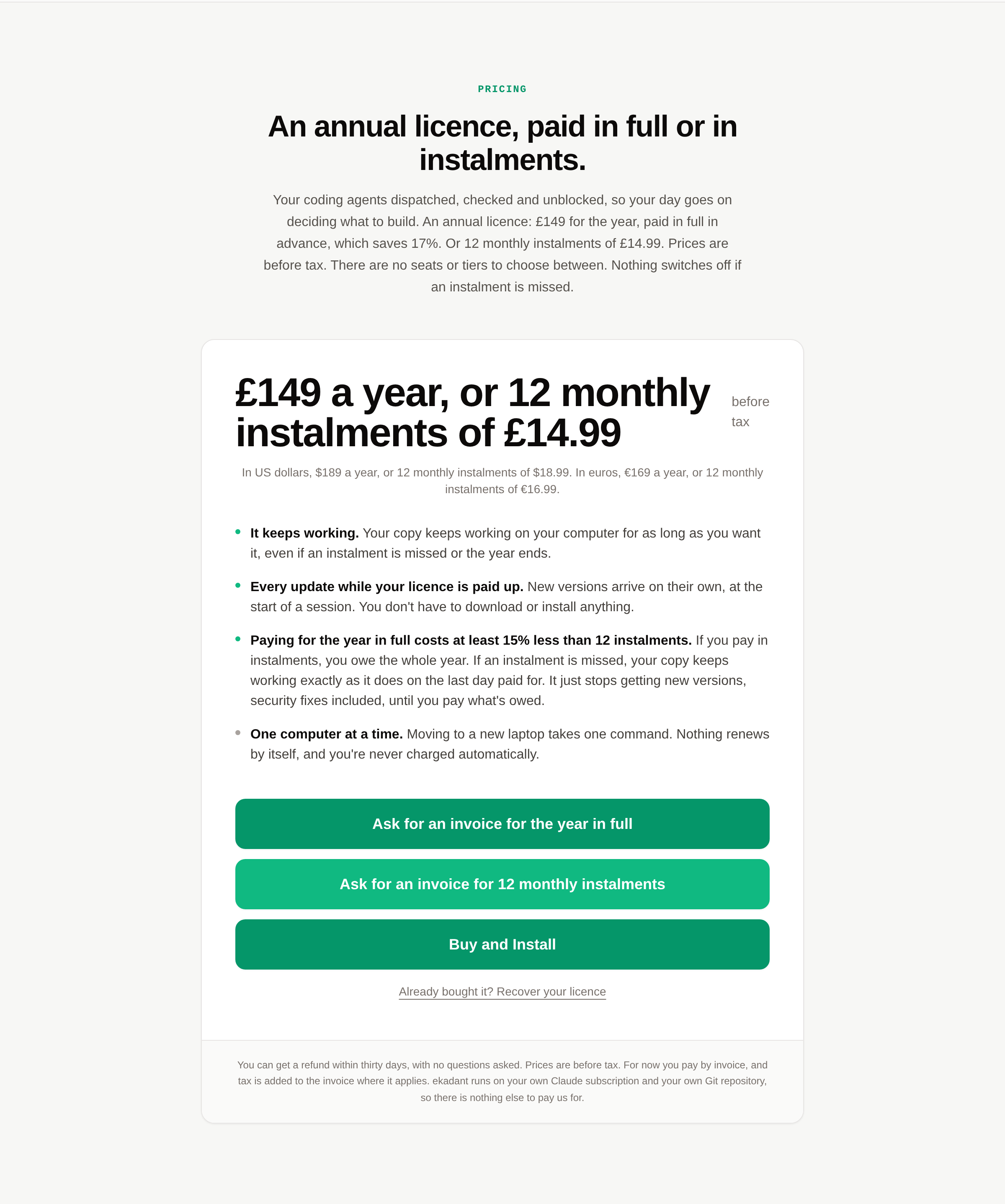
Buy ekadant
An annual licence: £149 for the year, paid in full in advance, which saves 17%. Or 12 monthly instalments of £14.99. Prices are before tax. Press Buy and Install and you go to our store to pay. For now you ask for an invoice there.
If the checkout doesn't appear, it's almost always an ad blocker. Ad blockers block payment providers by name.
Download your copy
The moment the payment goes through, a page opens with your download link. Paying by invoice? We’ll email your download link once your invoice is paid. Press it. A file lands in your Downloads folder. That is your copy of ekadant, with your licence already inside it.
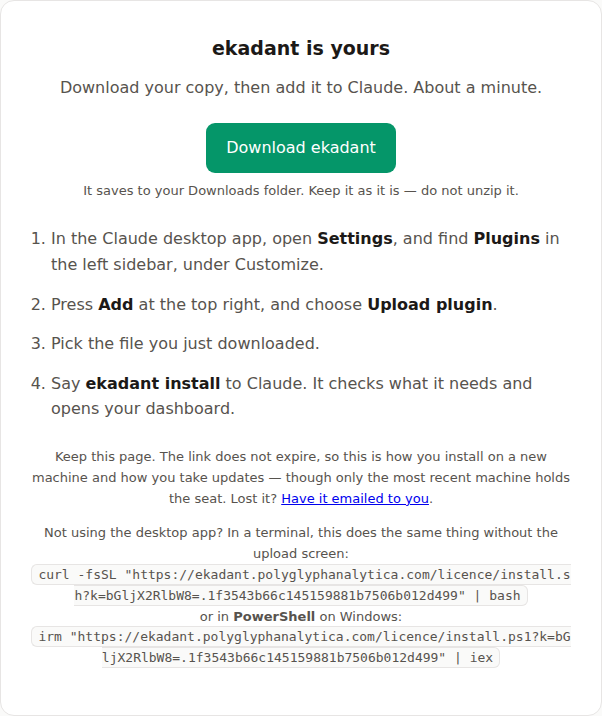
Keep this link
It does not expire. It is how you install on a new machine later, and how you get updates. Bookmark it or email it to yourself.
Lost it? The email we sent when you bought has it too. Or you can have the link emailed to you.
Add it to Claude
This all happens inside the Claude desktop app. Three clicks, and the last one is a file picker.
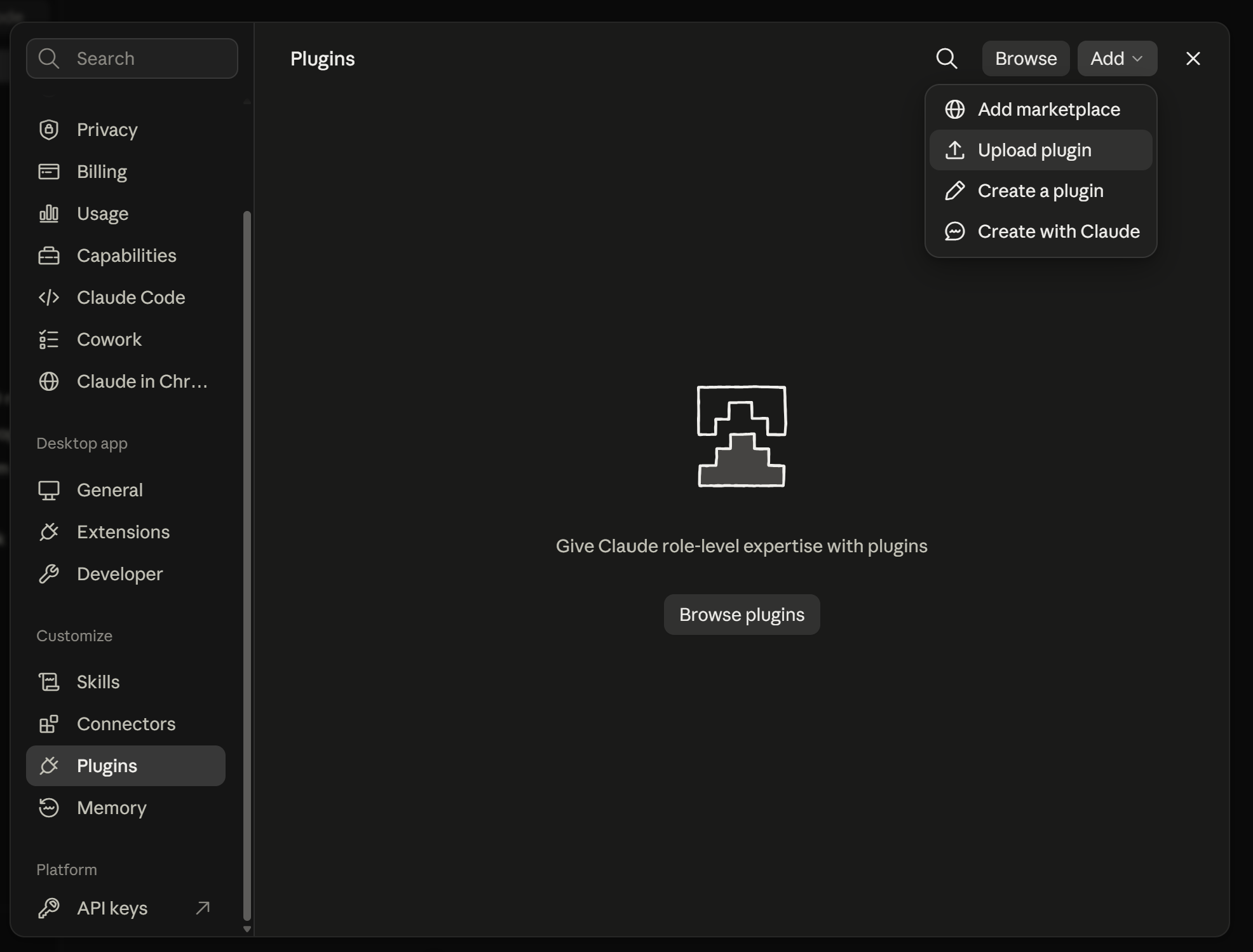
- Open Settings, and find Plugins in the left sidebar — it is under the Customize heading, below Skills and Connectors.
- Press Add at the top right, and choose Upload plugin. Not “Add marketplace”, and not “Browse plugins” — those are for plugins you have not already got.
- Pick the file from your Downloads folder.
That's all. Claude unpacks it and keeps it — it stays installed on this computer until you remove it.
If the upload is refused, the file was probably unzipped first by your browser.
Upload the original .zip, not a folder.
Say one thing
Restart Claude so it picks up the plugin, then type this into the chat box:
ekadant startThat is the whole of the setup. It checks what it needs, tells you if anything is missing and exactly how to fix it, offers you a backup, and opens your dashboard. Answer its questions and you are done.
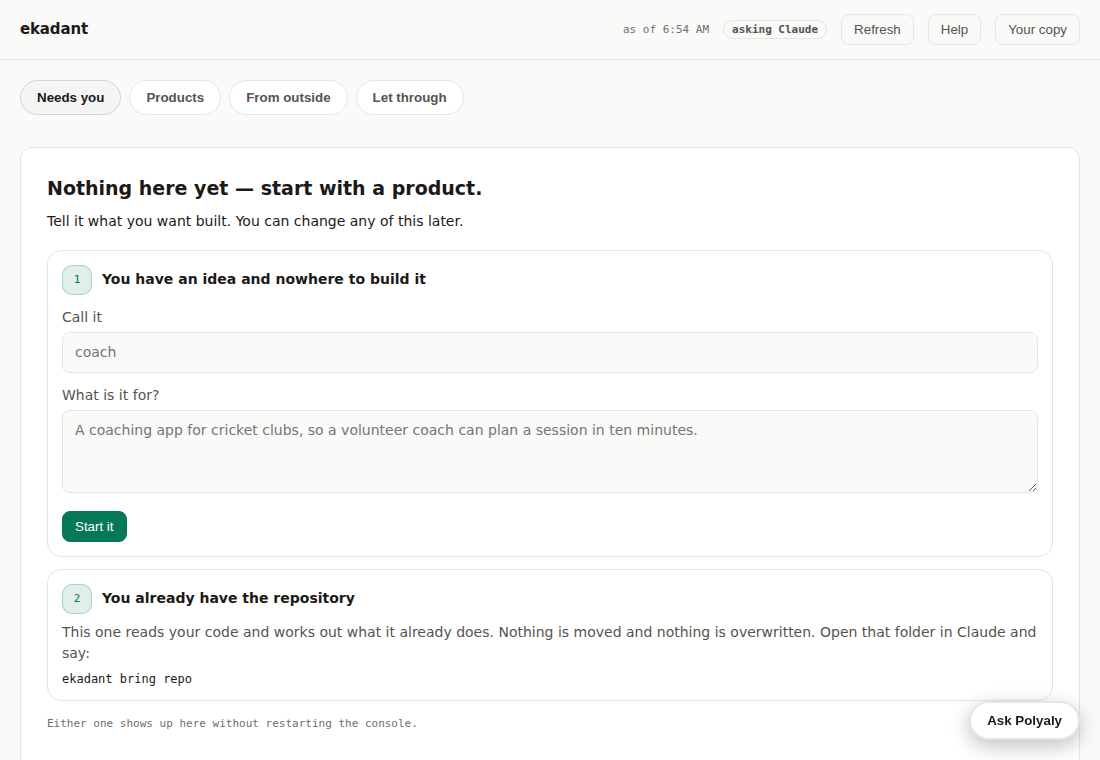
The dashboard is where you work from after this. It runs on your own machine — nothing on that screen has been near us.
You can say ekadant start again at any time.
It changes nothing that is already set up.
Start a product
Tell it what you want built, in your own words:
ekadant bring idea
Already have a repository you want it to work in? Open that folder in
Claude first, then say ekadant bring repo.
Nothing is moved and nothing is overwritten.
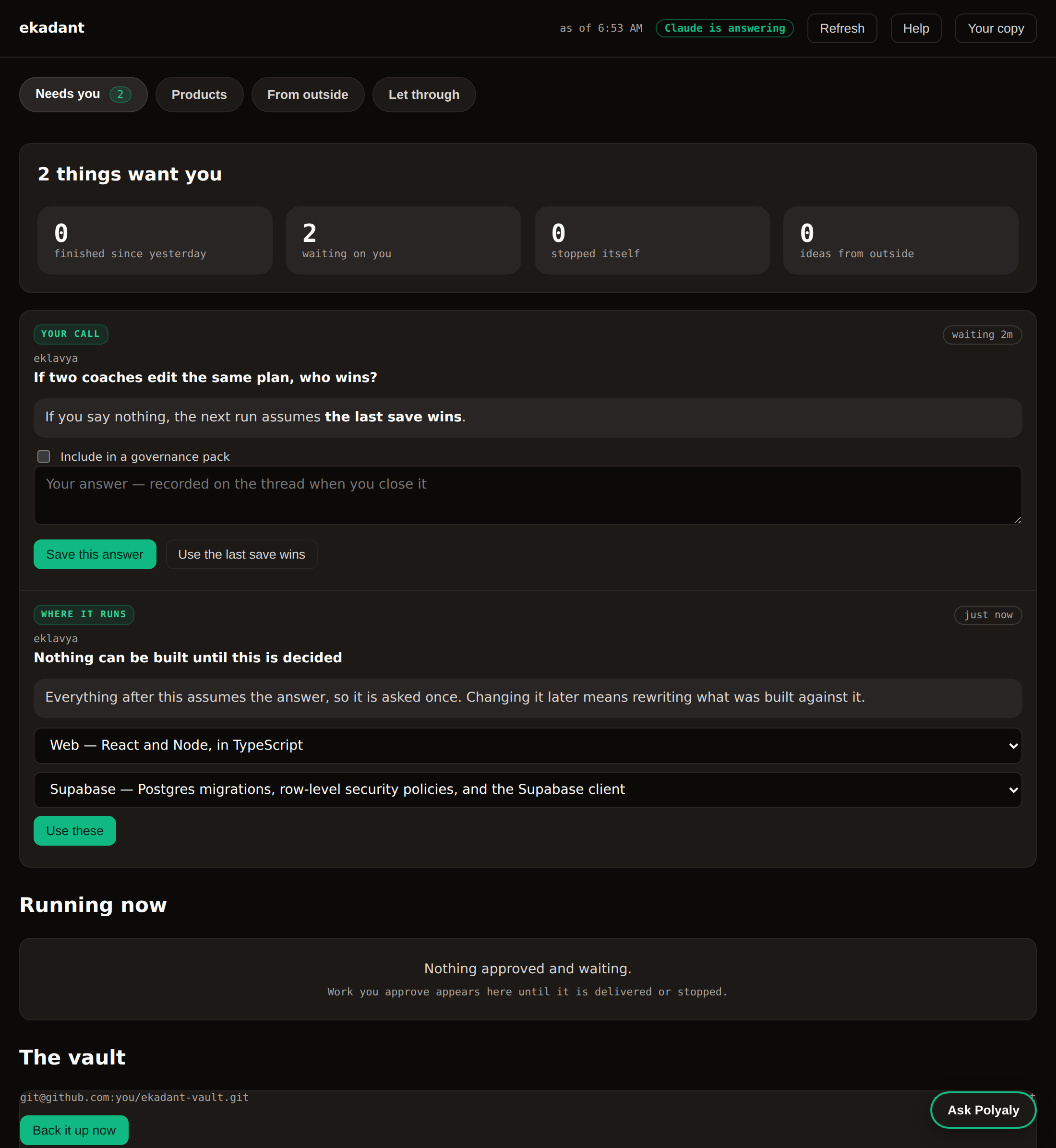
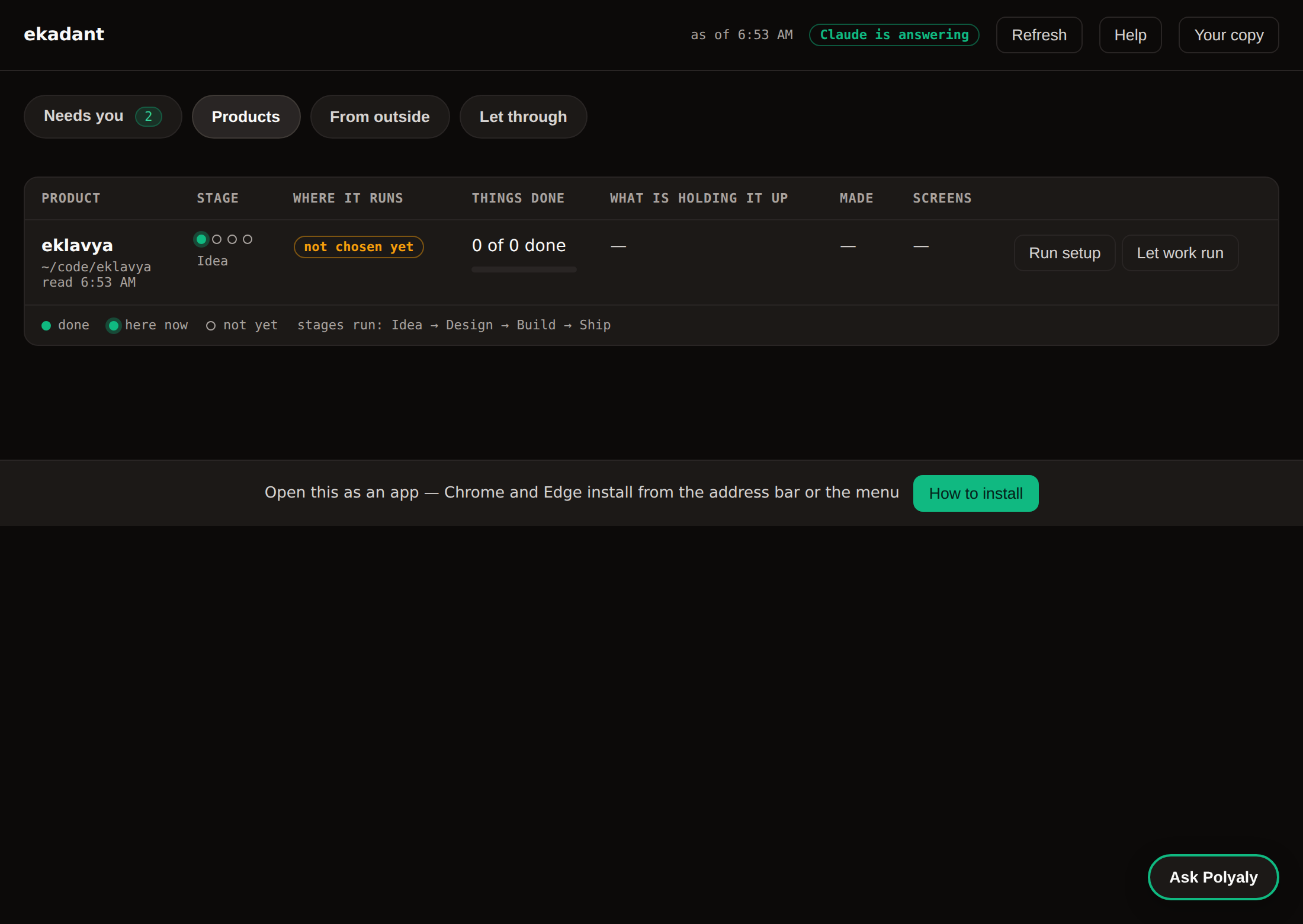
It appears in the dashboard straight away. From here the engine runs, and the dashboard shows the short list of things only you can decide.
If something goes wrong
- It says Node.js is missing or too old
- Install the LTS build from nodejs.org and run the command again. Nothing was written, so there is nothing to undo.
- Claude does not know
ekadant start - Restart it. Plugins load at startup.
- Nothing happens, and you are at claude.ai/code
- That is Claude Code on the web. It runs on Anthropic's servers and cannot see your files, so there is nowhere for ekadant to install. Use the desktop app.
- It says this copy has no licence
- The copy came from somewhere other than your own download link. Download yours again and upload that one.
- It says the seat is on another machine
- One licence, one machine at a time.
Say
ekadant startagain — it will spot this and offer to bring the seat back here. - You have changed your mind
- You can get a full refund of a licence year within 30 days of its start. You don't have to say why, and it works even after you've downloaded it. You do it yourself from inside the app — profile, then refund. The refund policy.
Still stuck? hello@polyglyphanalytica.com. A real person reads it.
Not using the desktop app? The upload screen in step 4 is part of the desktop app. In the terminal, VS Code or JetBrains, use the install command your download page also gives you — it does the same thing without the app. Claude Code on the web can do neither: it runs on Anthropic's servers rather than yours, so it cannot see your files.
Your phone. The console prints a link that works from anywhere and a six-character code. Open the link, type the code, and both screens show a six-digit number. If they match, approve it on the machine. If they differ, do not.
Keep it as an app. The console offers this itself, and the button knows which browser you are on. Chrome and Edge install from the address bar. On an iPhone or iPad, Safari installs from the Share sheet — tap Share, then “Add to Home Screen”. Safari on a Mac uses File → Add to Dock. Firefox cannot install web apps at all; pin the tab instead.
Prefer to place it yourself?
It is the same file either way. Unzip it and put the ekadant
folder into ~/.claude/skills/, and Claude picks it up next
time it starts.